

Schedule automatic resends
Plan up to three repeat sends of a campaign. Set their subjects and dates, then manage each repeat and its report.
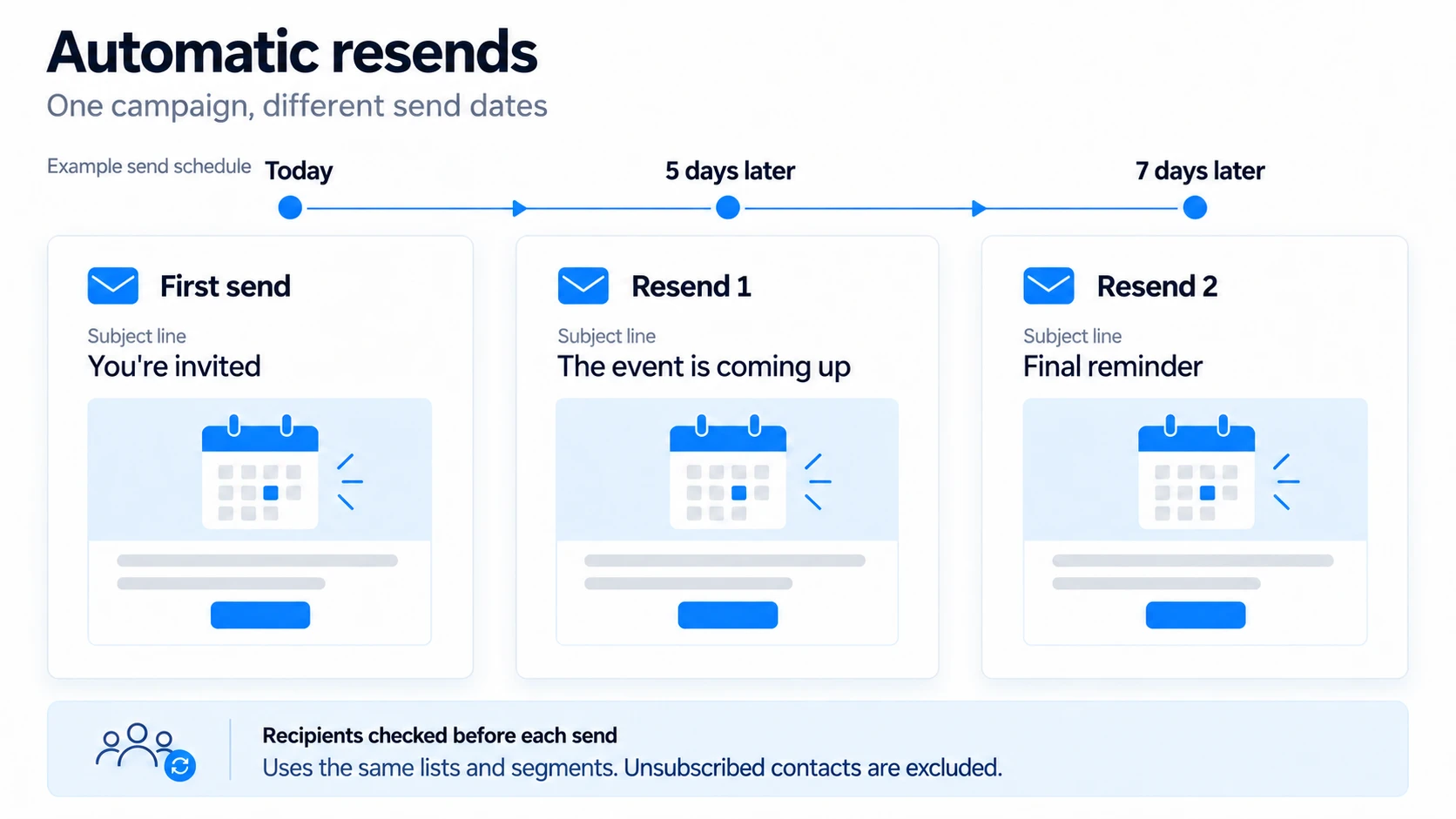
Use automatic resends to remind your audience about an event, deadline or other announcement on different dates. You can plan up to three repeats in addition to the original campaign.
Repeats use the same list and segment selections. MailGraf works out the audience again when each repeat is sent. New list members may therefore be included, while unsubscribed, blocked and paused contacts are skipped.
Plan the repeats
Prepare the campaign
Complete the design, subject, sender and audience, then open the Review step.Turn on Auto resend
Choose one, two or three under Repeats.Set each repeat
Check its Subject line, date and time. Each repeat must follow the original send and the repeat before it. Use the time zone shown in the panel.Check the Send plan
Sending or scheduling the original campaign also schedules its repeats. Afterwards, check the dates in Repeats.
For example, send an event announcement today and plan reminders for 5 and 7 days later. Each reminder can have its own subject line.
To add repeats to a campaign you have already sent, use Plan repeats, then click Save repeats.
Change a repeat
In Repeats, click Edit beside the send you want to change. Unschedule and edit returns it to a draft. After editing, schedule it again from the final step.
Each repeat takes a copy of the design when it is created. Later changes to the original campaign do not automatically update existing repeats.
Cancel stops the scheduled send and keeps the campaign as a draft. Turning off the Auto resend switch does not cancel repeats that are already scheduled.
Review each result
Every repeat has its own sending status and report. Compare the original announcement with later reminders using Read a campaign report.
Target non-openers instead
Auto resend does not exclude contacts who opened or clicked. To select recipients by their response to a previous campaign, use retargeting. Neither feature watches your inbox to follow up with people who have not replied.
Related articles
Was this helpful?
Still need help?
Write to us and a person will answer.
