

Retarget a campaign
Create a follow-up for openers, non-openers, clickers or non-clickers from a campaign you have already sent.
Retargeting lets you send another email to a selected group from a previous campaign. For example, try a different subject line with recipients who have no recorded open.
Start from the report
Open a sent campaign's report
Find the campaign on Campaigns and open its report.Click Retarget
Choose Openers, Non-openers, Clickers or Non-clickers.Edit the new draft
MailGraf copies the content into a new campaign. Change the subject and, if needed, the design. On Audience, check the source campaign and selected group.Test and send
Send a test to yourself. You can send the campaign now or schedule it for a later date.
Creating the draft does not send it. Review and confirm the new campaign separately. See Send a test email and Schedule a campaign.
How the audience is selected
Retargeting starts with the original campaign's actual recipients. Contacts added to the list after that send are not included.
Suppose the campaign reached 2,000 recipients and 500 have a recorded open. Non-openers initially selects the other 1,500. More opens, unsubscribes or blocks before the follow-up goes out can reduce the sendable count. MailGraf checks the audience again at send time.
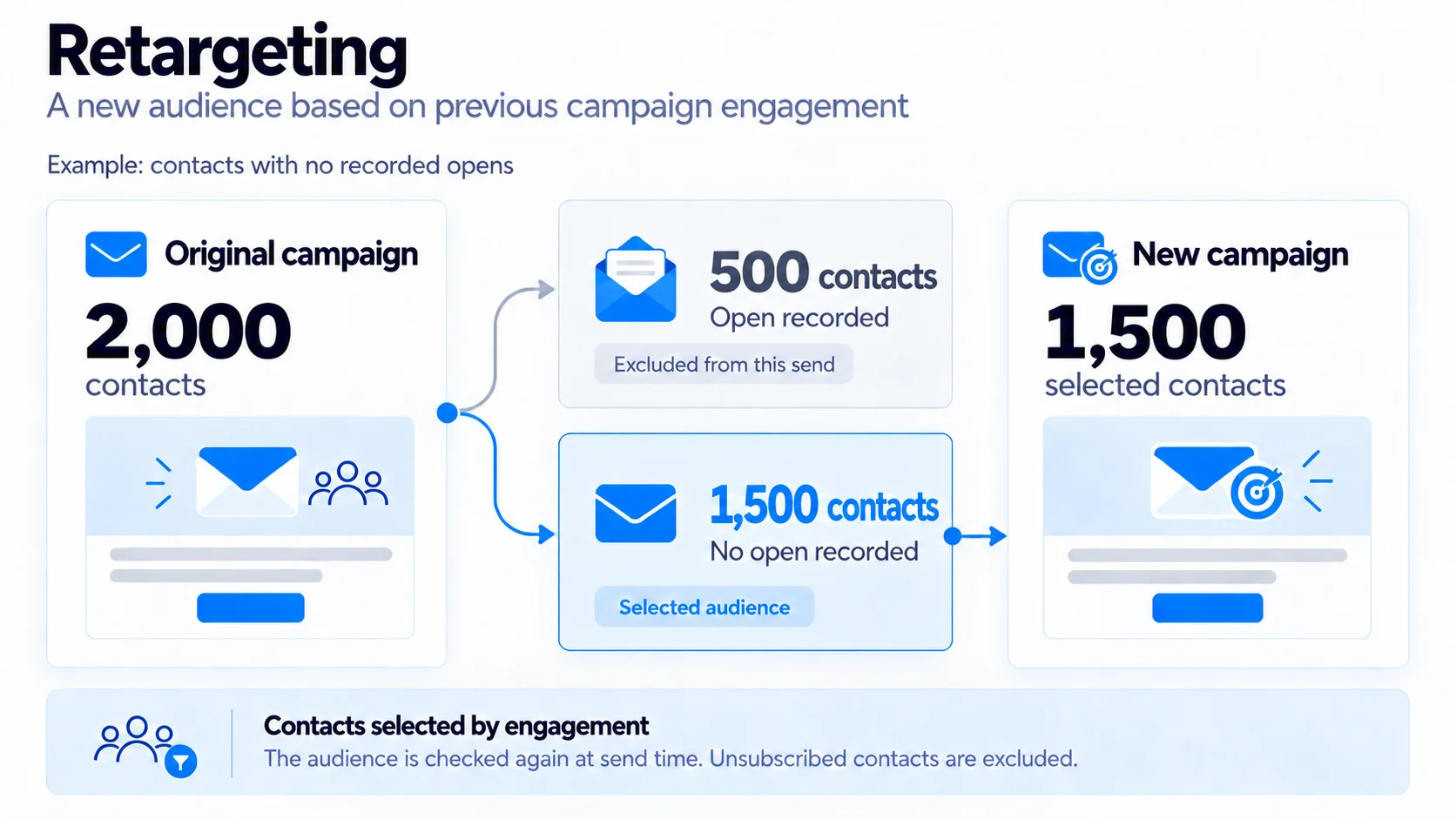
Further retargeting of the same campaign also considers engagement with its earlier retargeting campaigns. Someone who opened a reminder but not the original email is no longer treated as a non-opener.
Opens do not prove reading
Use opens as an indication
Email apps can load images automatically and record an open without the recipient reading the message. Blocked images can also prevent an open from being recorded when someone does read it. “Non-openers” means contacts without a recorded open.
Click-based targeting excludes clicks identified as automated. Choose the signal that best fits your campaign's purpose.
How this differs from resends
Automatic resends reach the current members of the same lists and segments on the dates you choose. Retargeting selects from an earlier campaign's recipients by their recorded opens or clicks.
Each retargeting campaign has a separate report. Use Read a campaign report to review its results.
Related articles
Was this helpful?
Still need help?
Write to us and a person will answer.
