

Add a QR code block
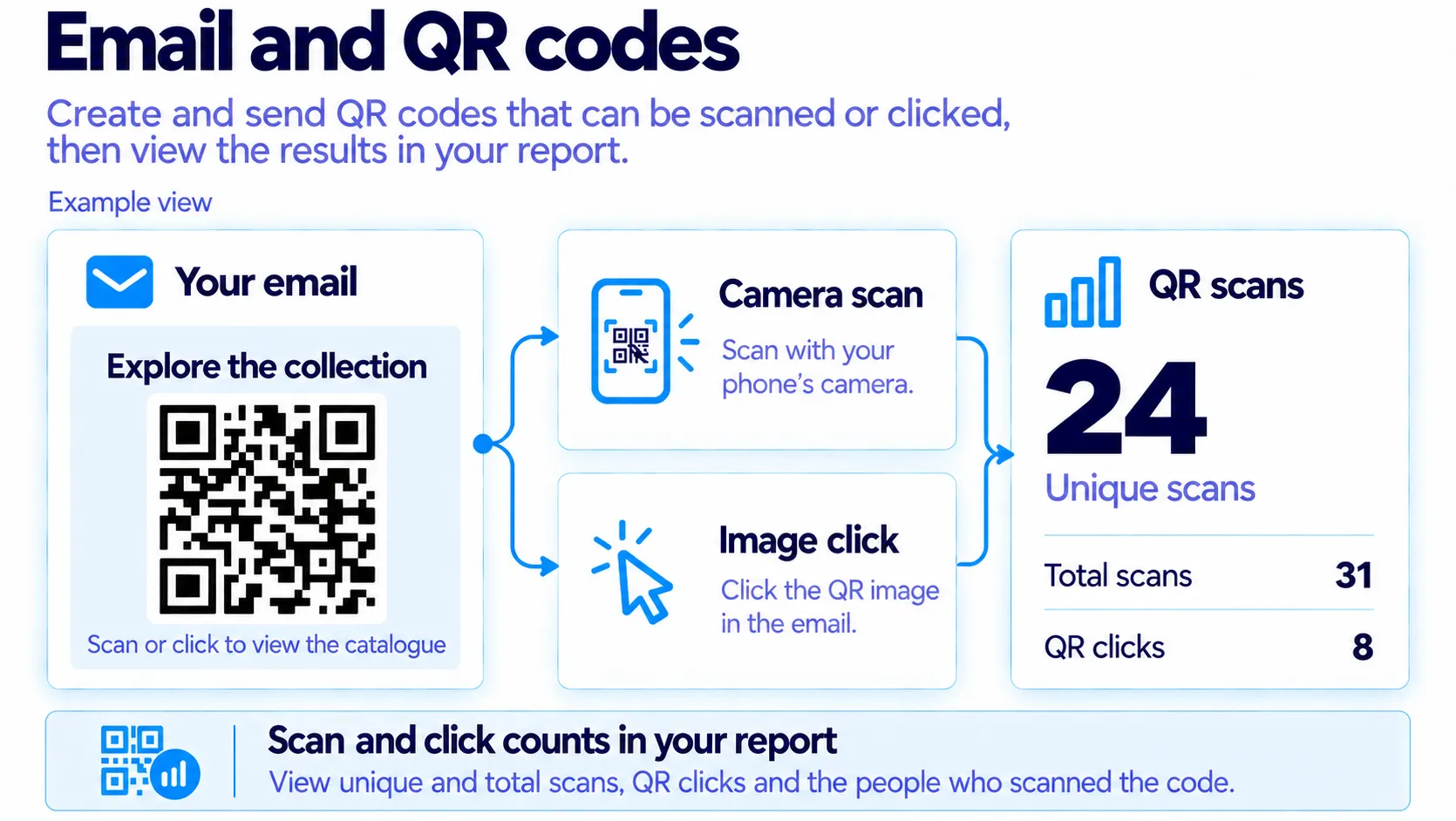
Add a QR code to your email that people scan with their phone or tap; see scans and clicks in the report after sending.
A QR code block adds a QR code to your email that people scan with their phone or tap. Use it for event check-in, an in-store discount or a bridge from printed material; after sending, scans and clicks appear in the report.
Add the block
In the editor, click the Content icon on the left
Drag the QR code block from the Dynamic group onto the email and drop it. The left panel switches to the block's Content tab.Under QR opens, choose the target
For Web page, type the address. For File, pick a file from Media. For Personal, type the Destination and choose Contact ID or Email address as the Added detail.Check the Count QR scans switch
While it is on, the QR goes through a short MailGraf tracking address and every scan is counted in the report. Switch it off and the QR goes straight to the address; scans are not counted.Write the alt text and the note
Alt text is filled in from the address; change it if you like. With Note below on, "Scan with your phone camera." appears under the QR; you can change the wording.Set the size and colours on the Style tab
Choose Small, Medium, Large or Custom under Size. Keep QR colour dark and Background light. Standard is enough for Quiet zone.
MailGraf generates the QR image for each recipient at send time. The QR you see on the canvas and in the preview is real, so you can scan it with your phone to try it.
Dark backgrounds do not scan
A QR with light dots on a dark background does not scan on some phones. A QR under 120 px is hard to scan from a screen. The panel warns you in both cases.
Read the results
The campaign report shows a QR scans card with unique and total scans, and a QR clicks line underneath for people who tapped the image in the email. Click the card to see who scanned. See Read a campaign report.
Frequently asked questions
How does someone scan the QR if they read the email on their phone?
They cannot scan their own screen, so they tap the image instead. The tap opens the same address and counts as a QR click in the report.
What changes when Count QR scans is off?
The QR carries the address itself and no scans reach the report. Tapping the image still counts as a regular click.
Is the QR the same for every recipient?
With Web page and File, yes. With Personal, each recipient's QR carries their own contact ID or email address.
Related articles
Was this helpful?
Still need help?
Write to us and a person will answer.
